

I mentioned in an earlier article that I’d used my PC Points to pay for a Switch 2 in it’s entirety. One of the consequences of that transaction was seeing the lowest balance in my app since beginning in 2018.
On August 16th my balance was 16,331 points or $16.33. I decided I would use the opportunity to screenshot my balance changes to track how quickly I earned my points through regular collecting. Just under two months later my new balance is 314,966 or $314.96. Here’s how I did it.
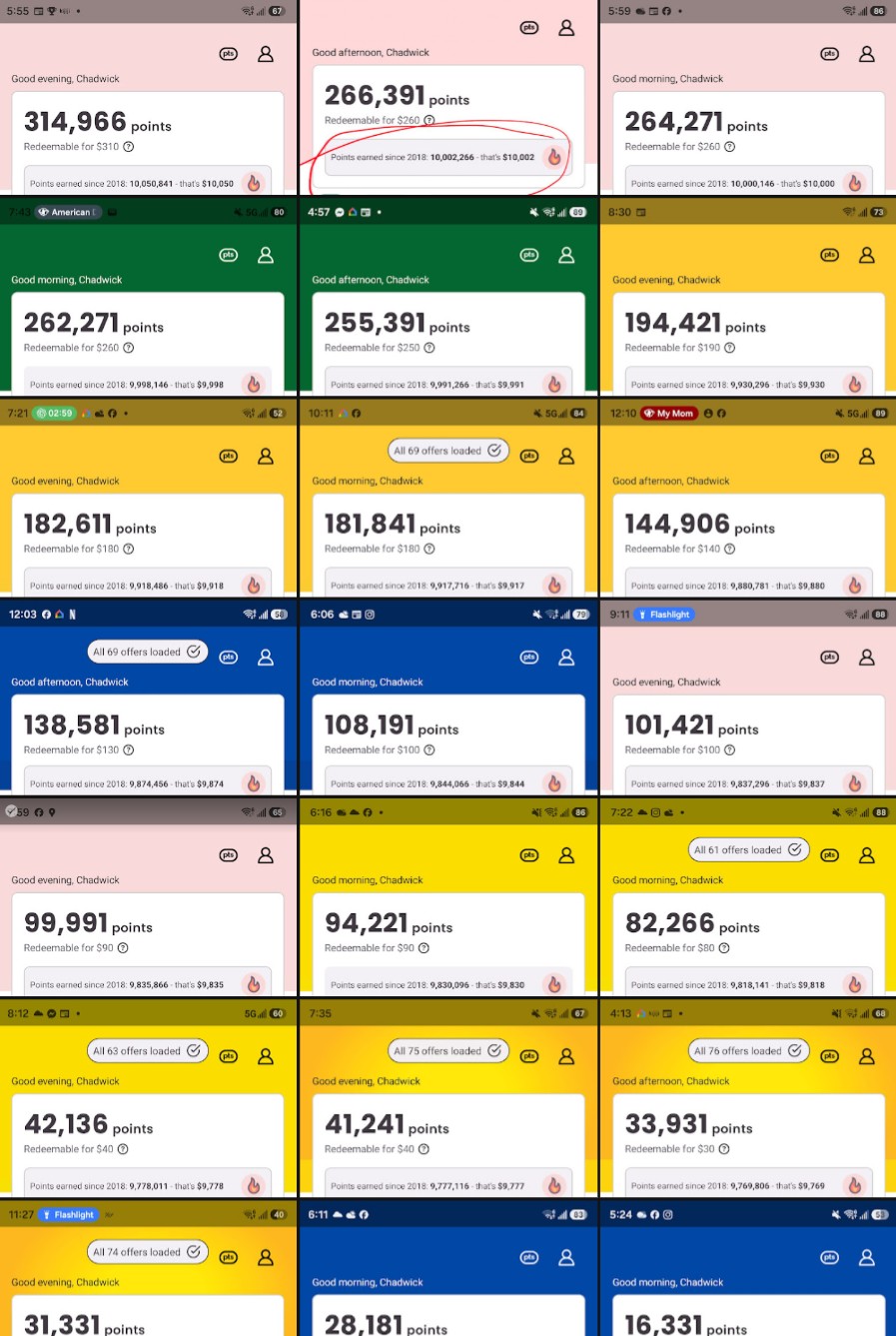
The truth is I didn’t do anything exceptional. I simply used the systems I’d already setup and kept to my planning.
- Use my PC Financial Mastercard for all purchases. Gain 1% back at any retailer, and up to 3.5% back from Loblaws (Superstore & Shoppers)
- Buy my gas at Esso or Mobil to automatically get extra points while also using the PC Mastercard
- Get bonus points every month for my payroll deposit
- Get bonus points for paying bills over $100
- Shop on 20x (or 25x) bonus days at Shoppers. Remember, only on Saturdays when they also have regular sales and in-store bonus points
That’s about it. My personal goal is to see how long it takes to get back to 1 million points (aka $1000) but that’s more of a game than anything. If they offer a really good redemption I may buy a new appliance or household toy (robovac maybe?). Otherwise I can use my points to pay my credit card off (at 70% of the value it’s still worth it!). This would justify some birthday/xmas purchases coming up this fall.
I hope the simplicity of my system inspires you to use some of these techiques, or come up with your own entirely! I’d love to learn other ways to exploit, erm, I mean, maximize the systems out there.
As always, thanks for reading my Internet Nomads.


You must be logged in to post a comment.